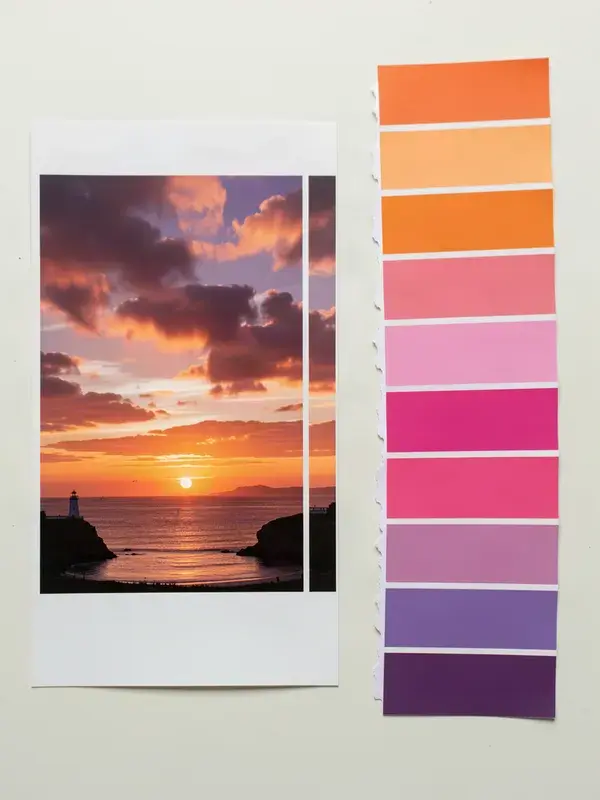
Pull the dominant colours out of any image as hex codes you can paste anywhere.
- 1
Drop in an image, a frame from a video, or a competitor's thumbnail.
- 2
Choose how many colours you want, from 3 to 8.
- 3
Copy the hex codes, or export the palette as a strip image.
- 4
Reuse the same palette across every post so the account reads as one brand.
- Palette size
- 3 to 8 colours
- Formats
- HEX, RGB
- Export
- Palette strip PNG
- Account
- Not required
What is color palette extractor?
A colour palette extractor reads an image and returns its dominant colours as hex codes, which is how you match captions, thumbnails and graphics to footage you have already shot. APImage's extractor samples the image in the browser, clusters the result into a palette of up to eight colours, and gives you hex, RGB and a one-click copy for each.
How does it choose the colours?
It samples pixels across the image and groups them into clusters by similarity, then returns each cluster's average weighted by how much of the image it covers. That is why a small bright accent may not appear: it is a dominance calculation, not a list of every colour present.
Why do the colours look different from what I see?
Screens vary, and a colour surrounded by other colours reads differently from the same colour on its own. Use the hex codes as a starting point and check the result in context rather than trusting the swatch alone.
Can I use this to match a brand's colours?
For your own brand, yes, and it is the fastest way to recover a palette from an old asset when the brand guide has gone missing. Copying a competitor's palette closely enough to cause confusion is a trademark problem, so take inspiration rather than the exact set.