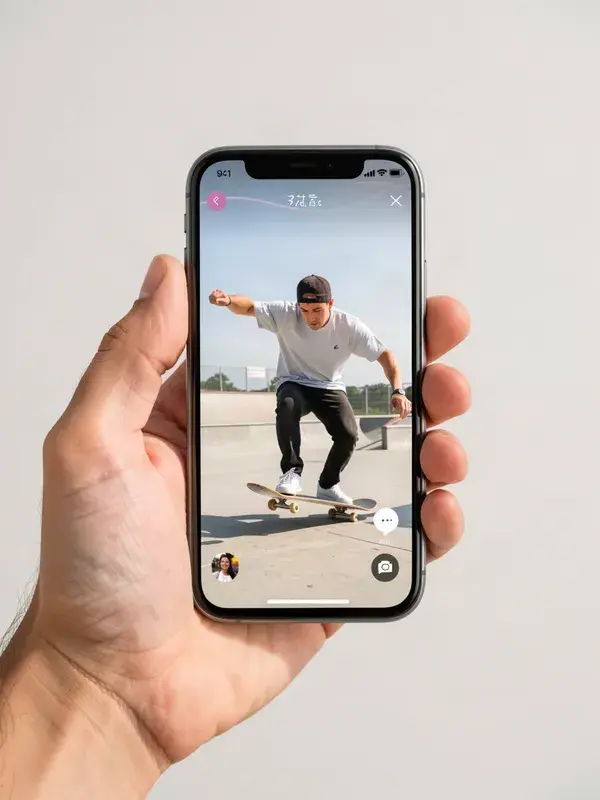
See exactly where captions, buttons and the product card cover your video before you post.
- 1
Drop in a still, a cover frame, or a screenshot of your video.
- 2
Switch between TikTok, Reels, Stories and Shorts overlays.
- 3
Move anything important out of the shaded areas.
- 4
Export the annotated preview if you need to send it to someone.
- Platforms
- TikTok, Reels, Stories, Shorts
- Frame
- 9:16
- Account
- Not required
What is tiktok & reels safe zone checker?
A safe zone checker overlays each platform's interface on top of your vertical frame so you can see which parts of the image will be hidden by captions, buttons, the username and the product card. APImage's checker runs in the browser and covers TikTok, Instagram Reels and Stories, and YouTube Shorts. Drop in a still or the first frame of a clip and the unusable areas are drawn straight on top of it.
Why does my text keep getting covered?
Because every vertical platform reserves the bottom quarter and the right edge for its own interface: caption, sound, username, follow, like, comment, share, and on TikTok Shop a product card as well. Anything you place there is hidden on most devices even though it looks fine in your editor.
How much of the frame is actually safe?
As a working rule on a 1080 by 1920 frame, keep the top 160 pixels and the bottom 400 pixels clear, and stay about 120 pixels in from the right edge. The overlays here are more precise than that rule, and they differ per platform, which is the reason to check rather than guess.
Are the overlays exact?
They are close approximations based on the current layouts, and they are deliberately slightly conservative. Platform interfaces change without notice and vary with device, notch and font size, so treat the shaded area as the minimum to avoid, not the exact pixel boundary.
Does this work for a video file?
Upload the cover frame or a screenshot rather than the video itself. The overlay applies to composition, so a single representative frame tells you everything you need before you export.