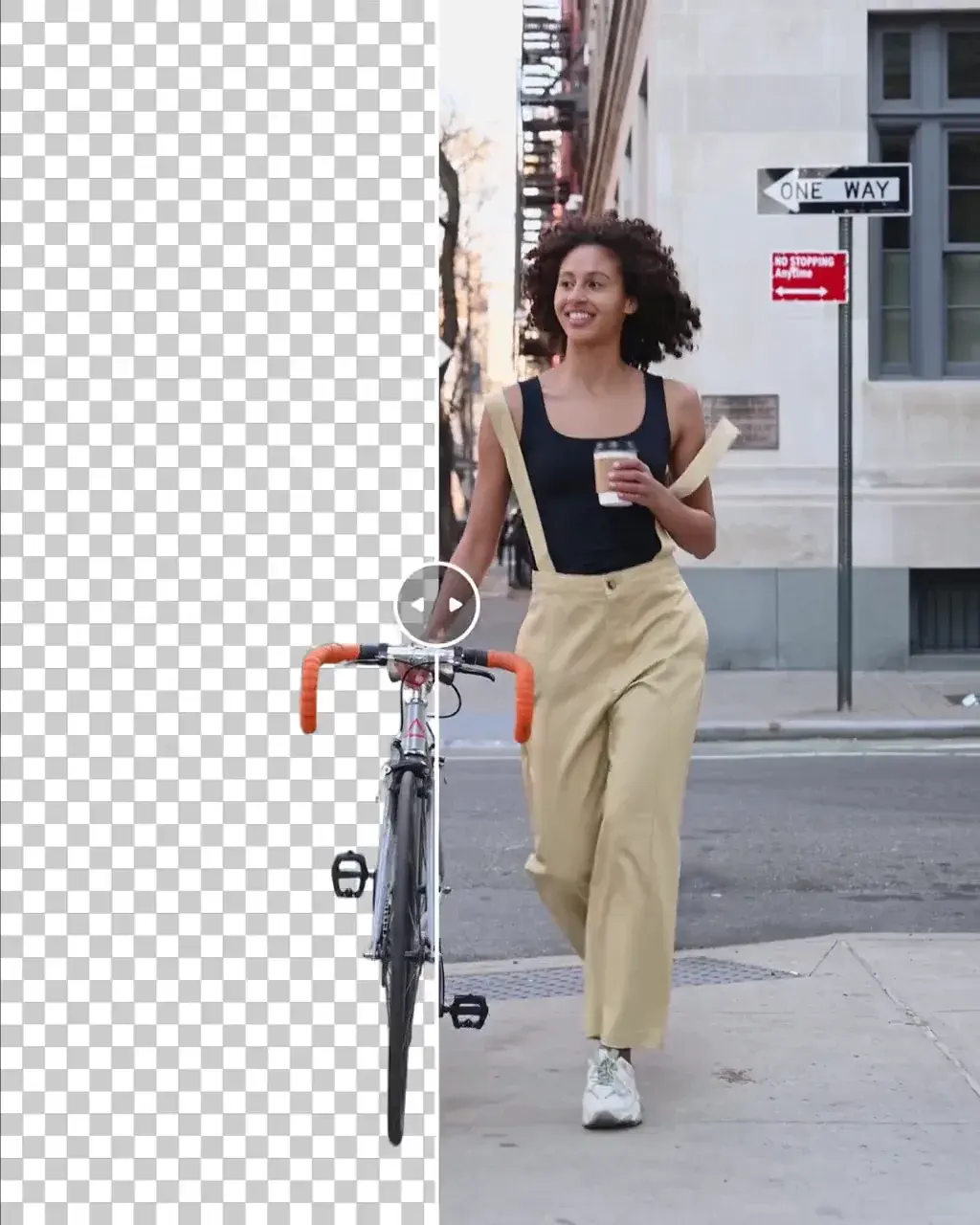
No green screen needed.
The subject alone, ready to drop over any background in the editor.
Talking heads
A presenter placed over slides or footage.
Product clips
The product on a clean colour for ads.
Compositing
Subjects layered into new scenes.
- Provider
- Bria
- Input
- A clip up to 60 seconds
- Background
- Transparent, green, black, white, blue or grey
- Audio
- Keep the original, or not
- Plans
- Starter and up
- Cost
- 84 credits per 10 seconds


What is Bria Video Background Removal?
Bria Video Background Removal is Bria's video matting model. It separates the subject of a clip of up to 60 seconds from its background and places it on transparency or on a solid green, black, white, blue or grey, with the original audio kept if you want it. On APImage it costs 84 credits per 10 seconds. It replaces a green screen for talking heads, product shots and anything that needs compositing.
How much does video background removal cost?
84 credits per 10 seconds.
Which backgrounds can I choose?
Transparent, green, black, white, blue or grey.
Which plan includes it?
Starter and up.
How do I use it?
Open the Edit studio and choose Remove background. Upload the clip, up to 60 seconds. Choose transparency or a solid colour, and whether to keep the audio. Generate.